The collection cycle after the contract
Every contract's payment plan, dues, payments and follow-ups, on one screen.
Your first sign-in creates a collector account on the same system, with demo data ready to try.
The whole system in under three minutes
A voice-over on the screens themselves: the contract and its payment plan, dues, payments and follow-ups, and reports.
The collection cycle, part by part
| The collection cycle | In the system |
|---|---|
| Payment plan down payment plus quarterly or annual installments, or cash | Built for you, every row editable |
| What is due for every customer on each due date | Today's follow-up, most late first |
| Contracts code, customer, mobile, unit, area, price, down payment | One page, each installment's state |
| Payments received bank, cashbox or transfer, cheque number | Oldest installment cleared first |
| Follow-ups response, next follow-up, notes | A collection status per contract |
| Reports dues as of a date, follow-ups | Seven reports, print or Excel |
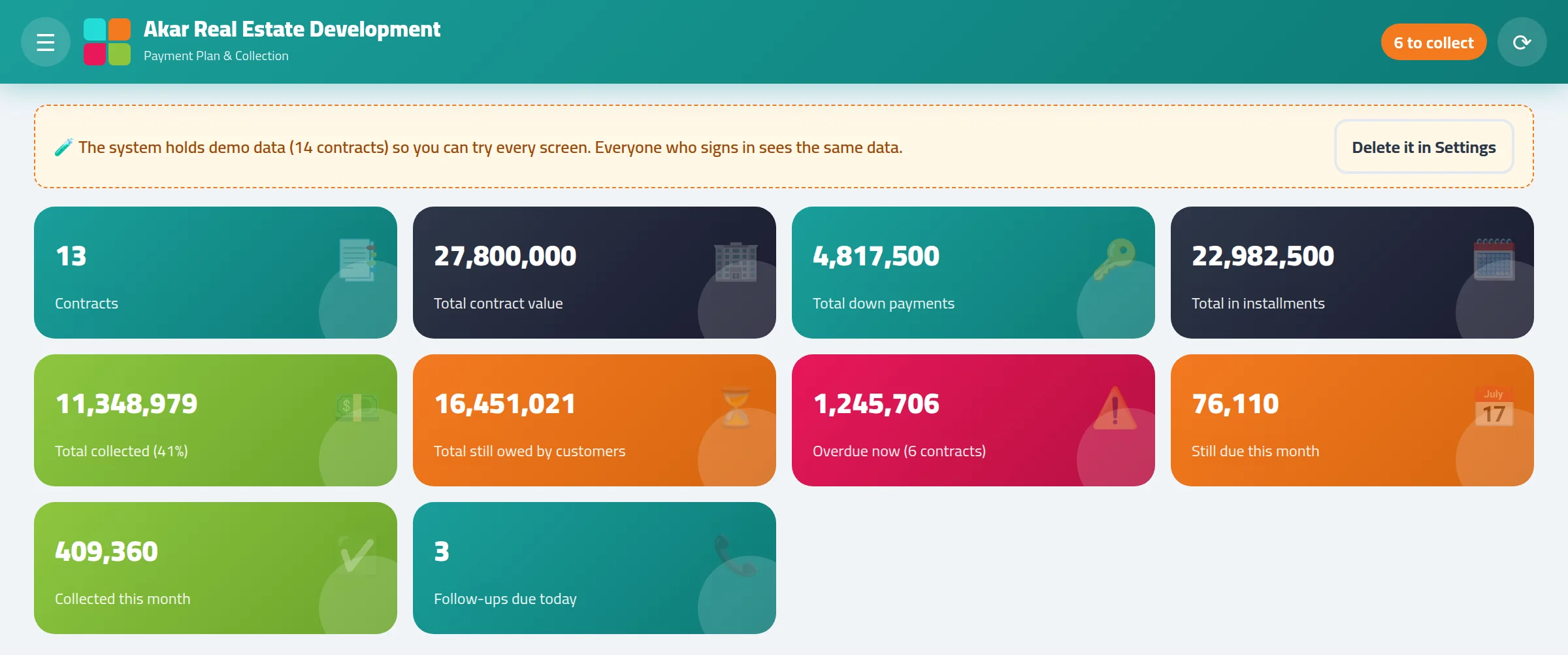
| Dashboard the summary | The first screen, shown above |
The schedule writes itself
Enter the price, the down payment and the number of installments. Dates and amounts appear, adding up to the price.
- Plan type
- Quarterly by default; monthly, semi-annual, annual or cash
- Irregular payments
- A custom schedule with any amounts on any dates; any payment clears the oldest installment first
- Down payment
- Recorded as a payment on the contract date
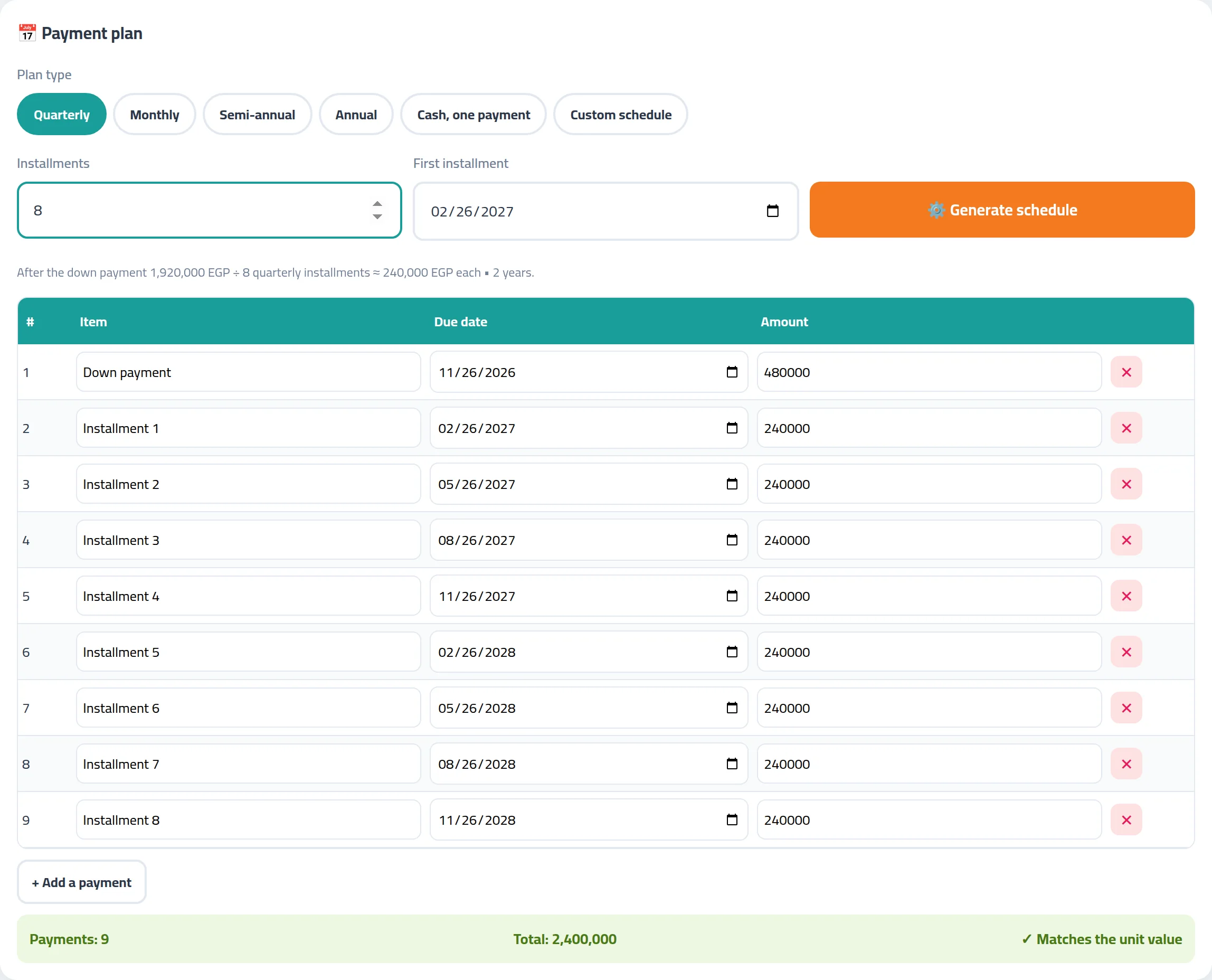
Edit any row before saving.
Every installment in its colour
The contract page holds its details and all its installments: paid, overdue and upcoming, with what is left on each.
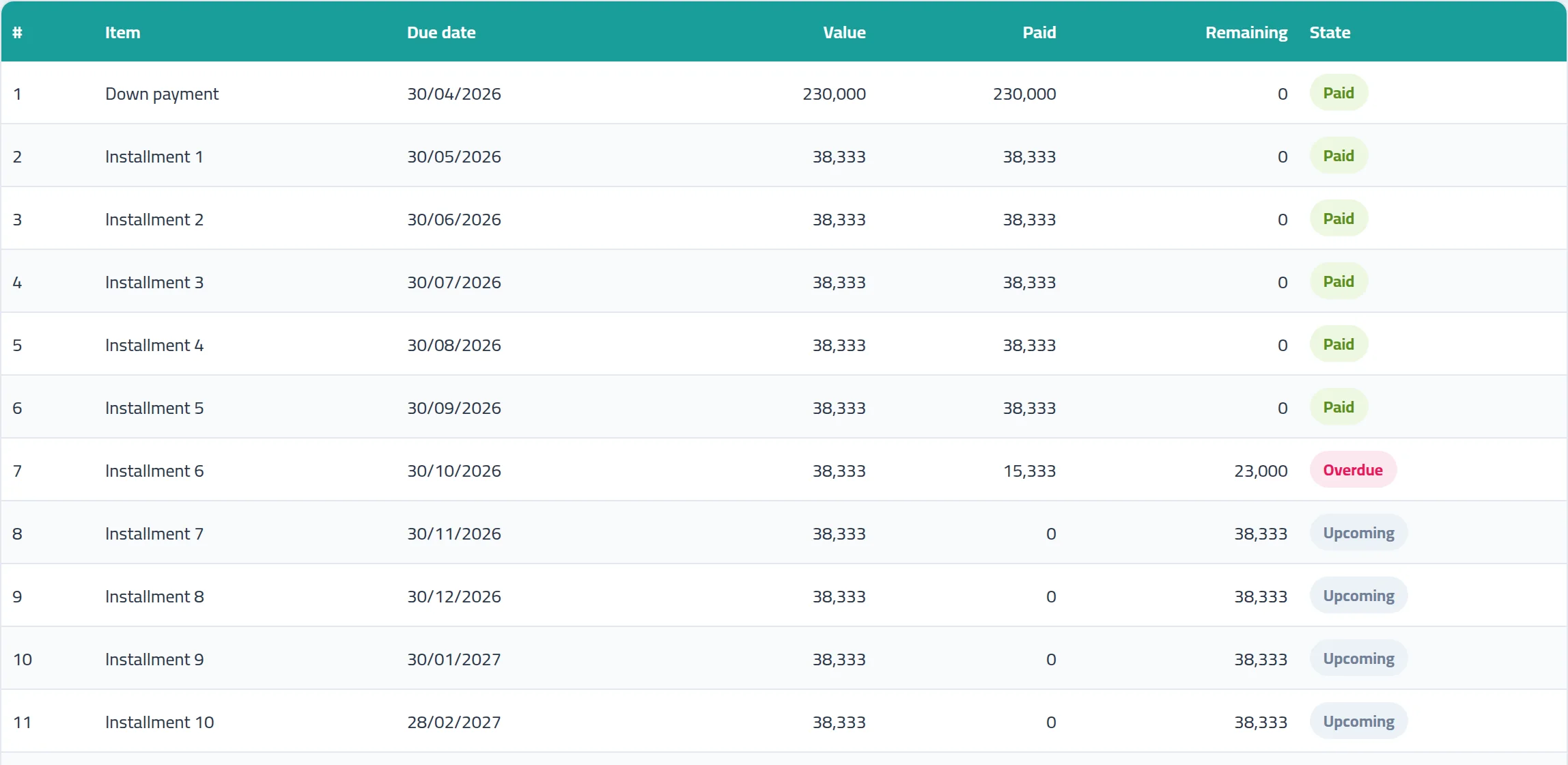
Contract details: code, customer, mobile, unit, area, price, down payment and first installment date.
Four colours, four contract states
The logo's four squares. Whatever is left unpaid shows in its colour in Today's follow-up.
- On trackNothing past its date
- Due todayDue today, still unpaid
- OverdueCounted from the oldest unpaid one
- Fully paidEvery installment paid
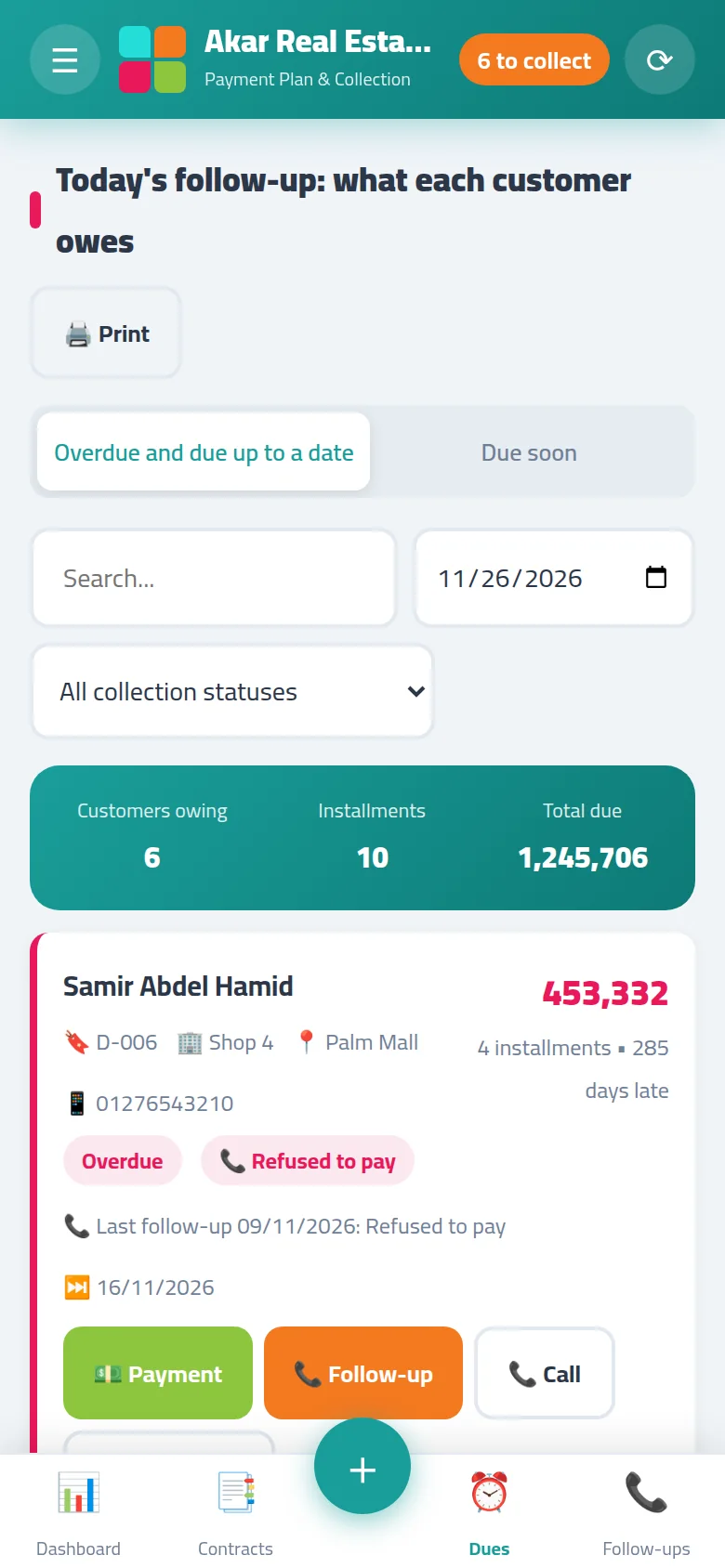
Most overdue first, with the amount and the days late.
Every payment and every call, on the contract
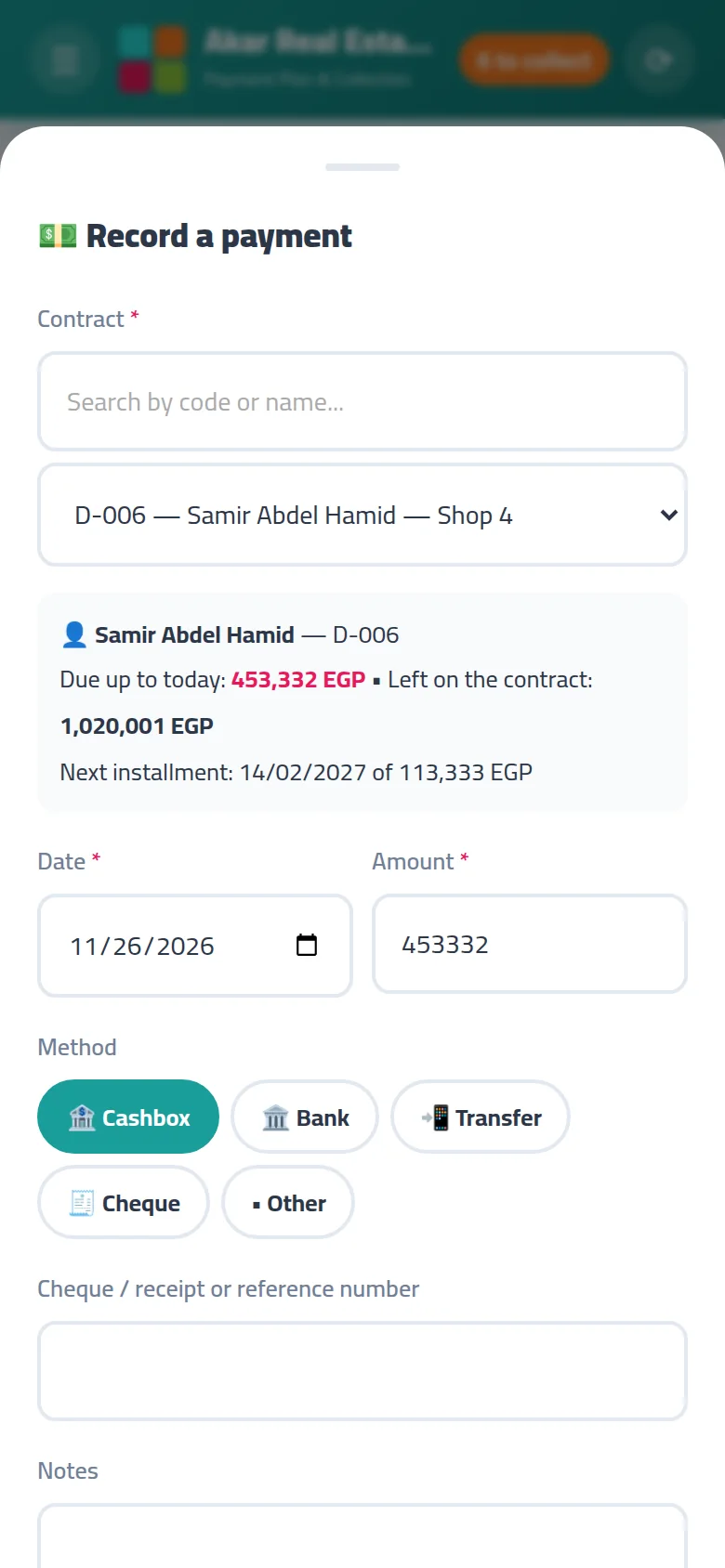
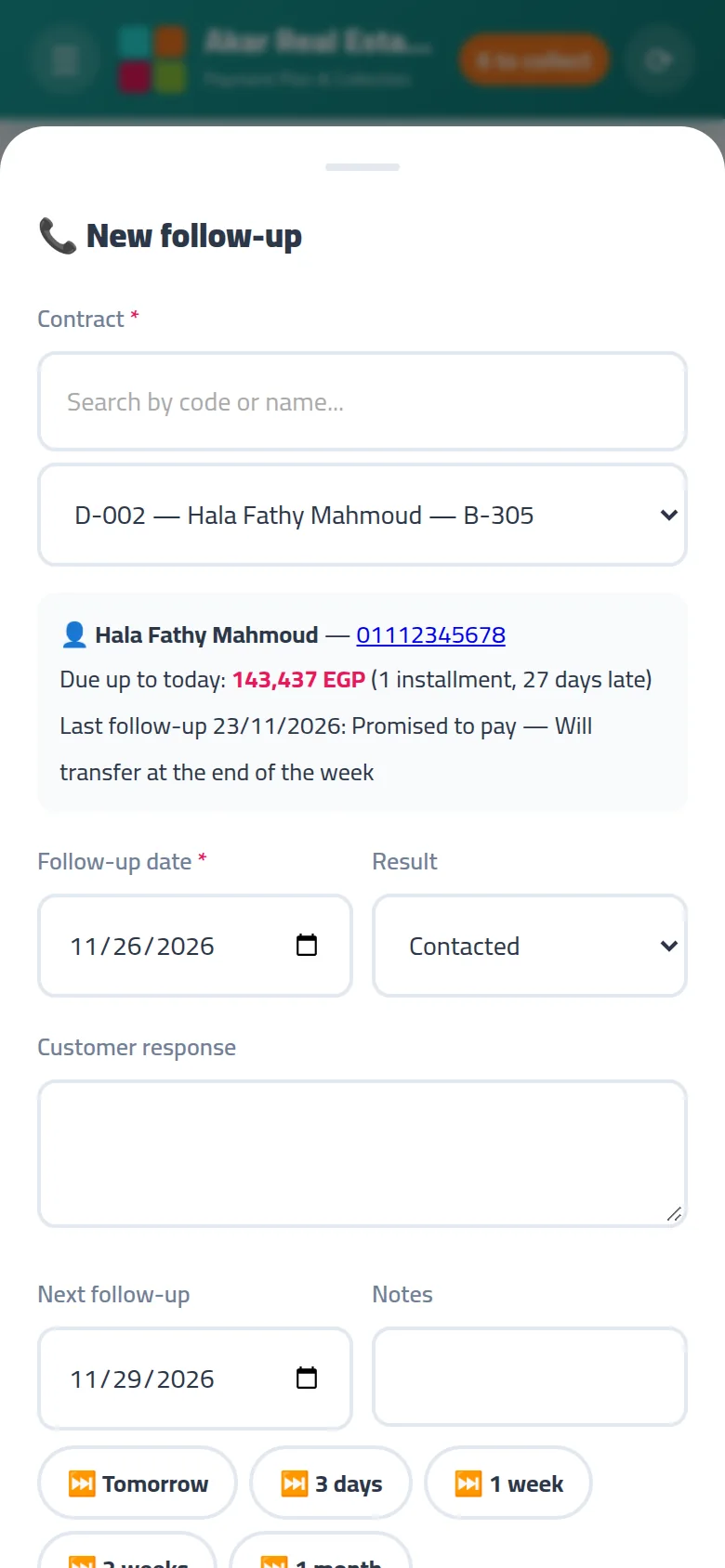
Recording a payment and a follow-up from a phone.
- Payments received
- Date, amount, method, and the cheque or receipt number
- Follow-ups
- The response, the result, and the next follow-up date
- Collection status
- Not contacted, contacted, promised to pay, asked to postpone, no answer
Installments due as of a date
Pick a date and see who owes how much and since when, counting payments up to that same day.
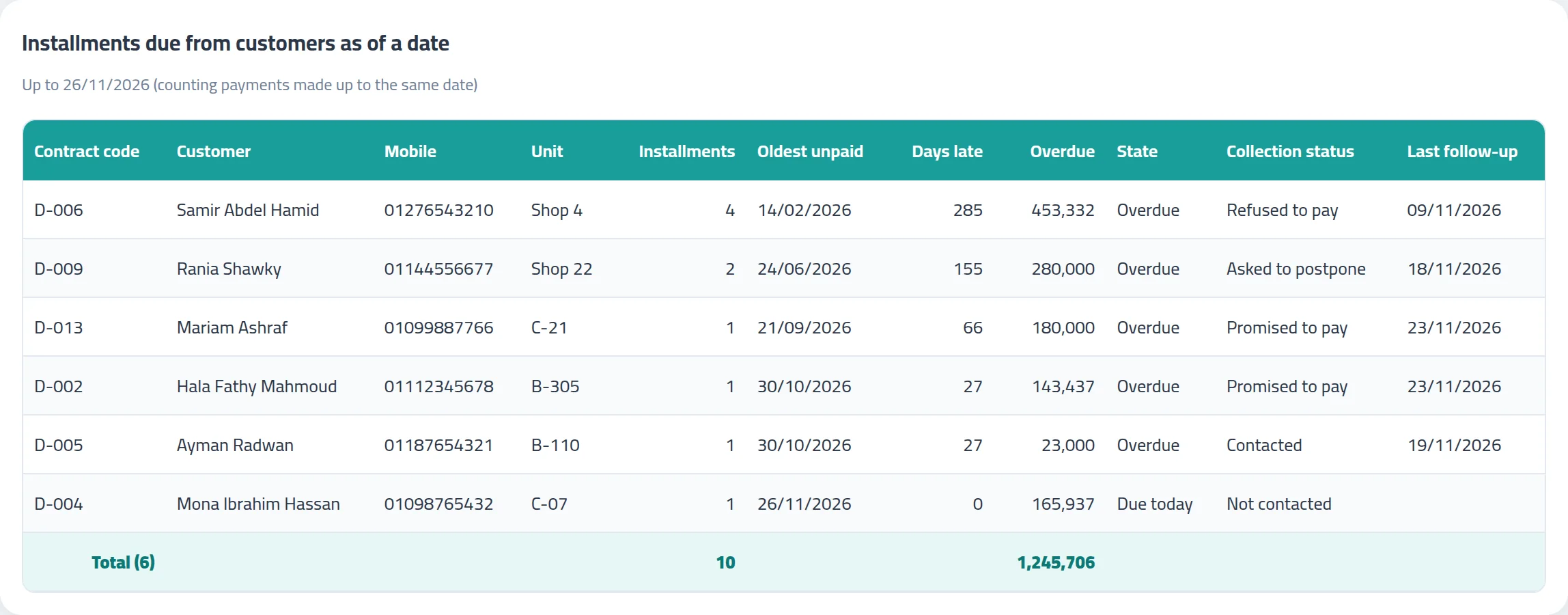
- Installments due as of a date
- Installments due in a period
- Debt aging
- Collections by payment method
- Follow-ups
- Customer statement
- Contracts summary
Every report prints to PDF or downloads to Excel.
Try it on 14 demo contracts
One button in Settings deletes the demo contracts when you start with your own data.